The Debugging Session That Made Me Build This
I spent three hours debugging a gRPC API once. The server was returning data, the client was receiving data, but the numbers weren't matching up. The only way to see what was actually in the Protobuf messages was to write throwaway code to decode them, run it, read the output, and start over. Three hours of this.
Protobuf messages are binary. They're extremely efficient for machines to encode and decode, but completely unreadable to humans. When you're debugging why something isn't working, you need to see the actual values—not guess from logs or trust that the bytes are what you think they are.
TypeError: Cannot read properties of undefined (reading 'byteLength')
at decodePayload (protobuf-parser.ts:42:15)
I built this visualizer because I needed something quick and local. No command-line tools, no writing decode code, no running it, no dealing with proto schema complications. Just paste the bytes and see what's inside.
How Protobuf Encoding Actually Works
Understanding the basics helps when you're debugging. Protobuf uses a compact binary format with field tags and wire types. Unlike JSON where you can see field names and values, Protobuf just has numbers.
The encoding is base-128 varints. Each byte uses 7 bits for data and 1 bit to indicate whether more bytes follow. Small numbers take one byte. Large numbers take more. This is why Protobuf is so compact compared to JSON.
That hex decodes to three fields: an integer (150), a string ("Hello World"), and another string ("world"). Without a visualizer, you'd have to write code to see this.
JWT Decoding: The Other Use Case
JWTs came into the picture because I was debugging authentication issues. JWTs hide their payload in Base64 encoding—it's not encrypted, just encoded. To see what's actually in a token (expiration, claims, subject), you need to decode it.
This tool decodes JWT payloads into readable JSON so you can inspect what the token actually contains. Useful for debugging auth issues without writing code or using browser extensions.
That example JWT has header (HS256 algorithm), payload (subject "1234567890", name "John Doe", issued at timestamp), and signature. The tool separates and decodes these so you can read them.
What This Tool Does
- Multi-format support — Base64, hex-encoded Protobuf, or JWT in one tool
- Real-time decoding — Updates as you type, no submit button
- Tree view for nested structures — Expandable, collapsible hierarchy
- One-click JSON export — Copy decoded output to clipboard
- 100% local processing — No data sent to servers, works offline
- No schema required — Decode raw binary to see field numbers and wire types, even without .proto definitions
Do not paste production JWTs here. For sensitive data, use local tools like jwt.io instead. This is for debugging, not production token handling.
When You'd Use This
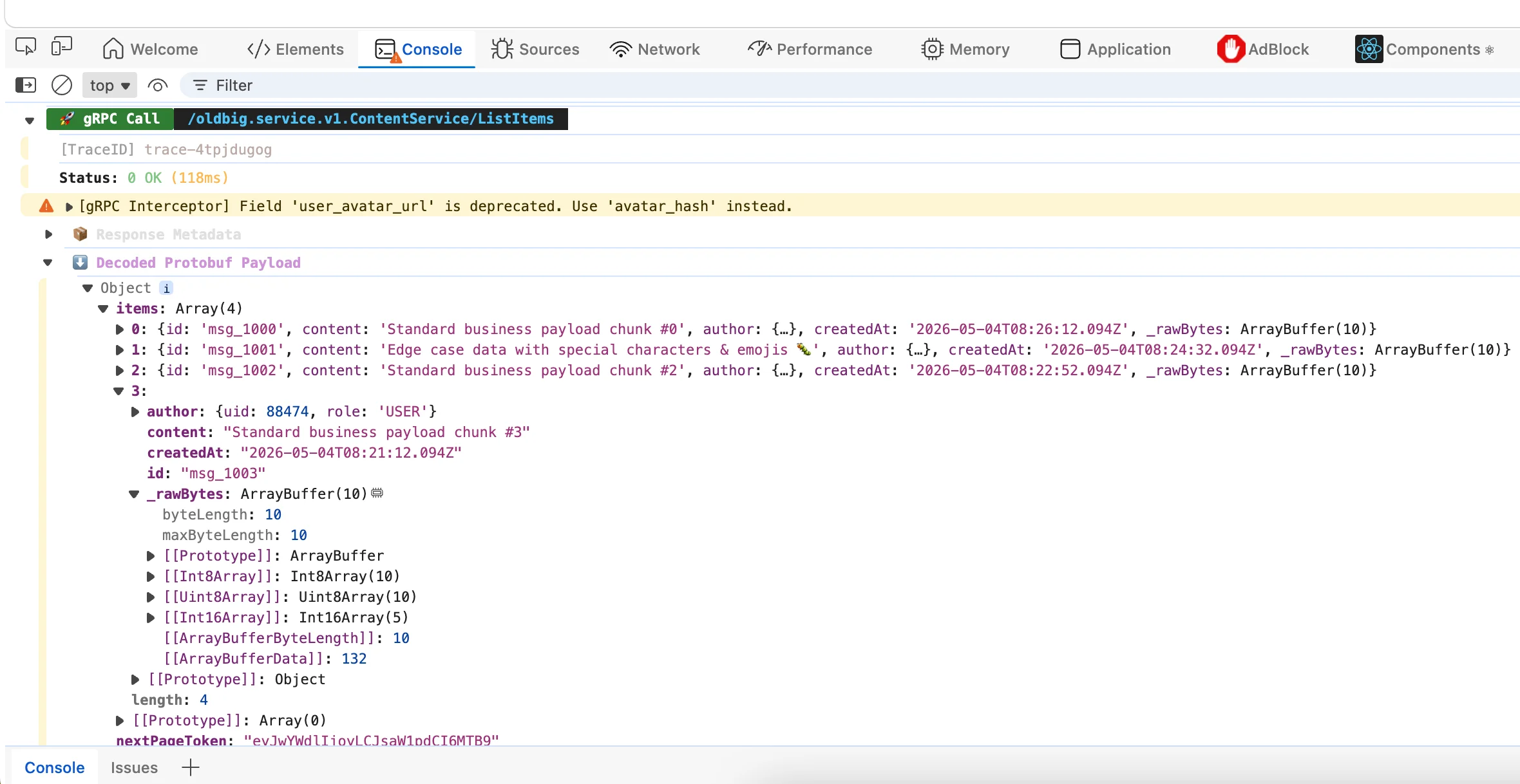
Debugging gRPC APIs:When your gRPC client receives data but something's wrong, decode the binary response to see exactly what fields contain what values. Often faster than checking logs.
Checking JWT claims: Before using a JWT in code, decode it to verify the payload is what you expect. Catch exp timestamp issues before they bite you in production.
Inspecting message queues: Kafka, RabbitMQ, and other systems use binary formats. When a message consumer receives garbage, decode it to see if the producer is sending what you think.
Learning Protobuf:If you're new to Protobuf and want to understand how field tags and varint encoding actually work, paste some binary and see what it decodes to.
Proto Schema vs No Schema
Without a .proto schema file, the tool shows field numbers and wire types (string, integer, etc.) but not the semantic names. For example, you'll see "field 1 is a string" instead of "field 1 is 'name'".
With a schema, you could get the full picture with proper field names. But for quick debugging without setting up schema loading, this tool gives you the raw decoded data which is often enough to spot the problem.
Common Questions
Do I need a .proto schema file?No. For basic inspection you can decode without a schema. You'll see field numbers and wire types, but not the semantic names the proto definition would provide.
Garbled JWT output? Usually means the payload is not valid UTF-8 JSON. This typically means the token was created incorrectly or is a different format than standard JWT.
Is data sent to servers? No. Everything runs locally in JavaScript in your browser. It never leaves your device.
Size limits? Up to 5MB of input data. For bigger payloads, split the data or use a desktop tool with more resources.
Written by Bai Shuang, a full-stack engineer with 16 years of Java/JavaScript experience, 10 years of Scala, and 8 years specializing in privacy-focused tools.
GitHub: @oldbig. Open source project: redux-lite - A lightweight React state management solution.